Ticked by mistake? Bring it back.
Everything you've done stays in History, newest first. Bring any item back as a fresh one.

Add a thought from anywhere on your Mac. Give a note a prompt, and every new item fills itself in.
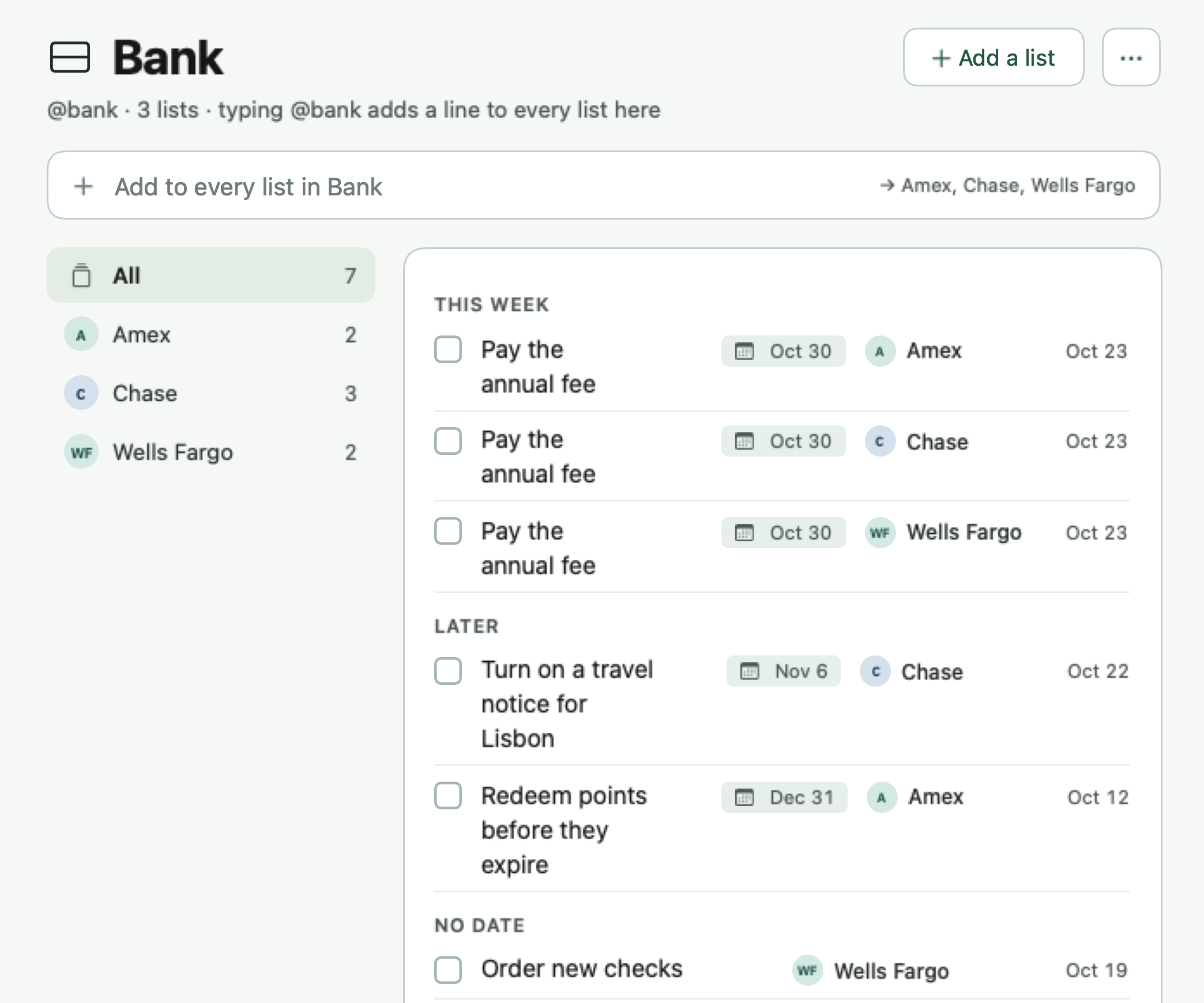
In the capture panel, typing "@bank pay the annual fee by Fri" and pressing Return adds "Pay the annual fee", due Friday, October 30, to the Wells Fargo, Chase and Amex notes at once.

One shortcut opens Fern Notes over the app you're in. Type a line, press Return, and you're back to work.
Put notes in a group. Type @bank and the item lands on Wells Fargo, Chase and Amex at once, each one yours to tick.
Give any note or group an AI Prompt. Check a few samples, then every new item gets its details written onto its page.
Dec 18th, 12/30, by Friday, tomorrow at 6pm. Fern Notes turns it into a due date and keeps your words clean.
Over an open document, pressing Control Command J opens the Fern Notes capture panel. Typing "@errands pick up dry cleaning tomorrow at 6pm" and pressing Return adds it to the Errands note, due Tuesday at 6:00 PM, and the panel closes.
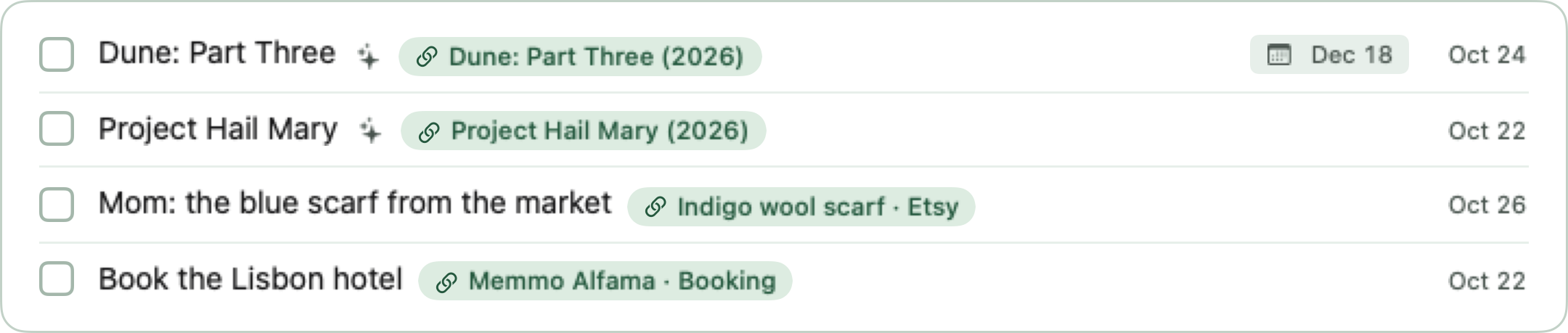
The Movies note has the AI Prompt "Find the release date, who's in it and the official trailer", set to look on IMDb. Adding "@movies Dune: Part Three" puts the item on the note, it shows Looking up, and then its page fills in: a short summary, the release date, who stars in it and a link to the official trailer. The release date, Dec 18, becomes its due date.
Typing "Dune: Part Three Dec 18th" saves the item "Dune: Part Three", due December 18. "12/30" becomes Dec 30, "by Friday" becomes Oct 30, and "tomorrow at 6pm" becomes Tue 6:00 PM.

Prompts work best with your own Anthropic, OpenAI or AWS Bedrock key, which lets Fern Notes search the web for current details. Without one, Apple Intelligence runs on your Mac using only the item and its links, so it can't look up things like today's prices or new release dates.
Click any item for room to plan. Write in Markdown, or let an AI Prompt fill it in for you.
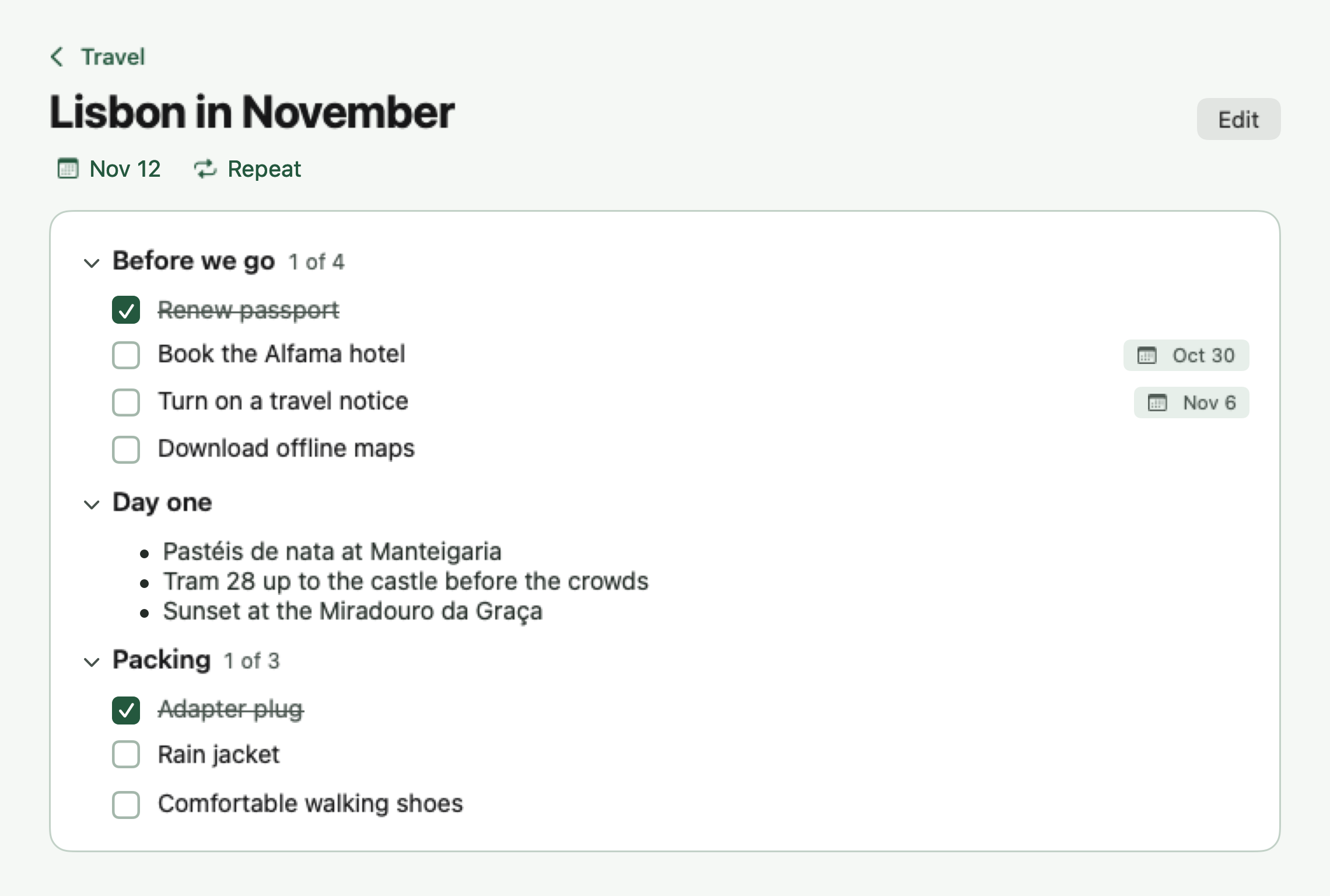
Keep a note per person you meet with, and group them by team. Bring it up in every 1:1 without copying it over and over.
@priya ask how the launch retro went
Ask how the launch retro went
On Priya's note, ready for your next 1:1.
@team remember to tell everyone to fill out the company survey
On Priya's, Marcus's and Elena's notes, each ticked on its own in that 1:1.
@movies Dune: Part Three
Dune: Part Three
Release date, cast and trailer, written onto its page
Official Trailer · youtube.comDue Dec 18
Needs an Anthropic, OpenAI or Bedrock key
@bank pay the annual fee by Fri
Pay the annual fee
On Wells Fargo, Chase and Amex
Oct 30
@stocks NVDA
NVDA
Current price, next earnings date and next dividend, written onto its page
Needs an Anthropic, OpenAI or Bedrock key
@errands pick up dry cleaning tomorrow at 6pm
Pick up dry cleaning
Tue 6:00 PM
@gifts Mom: the blue scarf etsy.com/listing/…
Mom: the blue scarf
Indigo wool scarf · Etsy
@books Project Hail Mary
Project Hail Mary
Andy Weir, 476 pages, and a link to the publisher
Needs an Anthropic, OpenAI or Bedrock key
@house ask Sam about the porch quote
Ask Sam about the porch quote
Saved as it is. No prompt on this note, so nothing is sent anywhere.
@travel renew passport by Mar 1
Renew passport
Mar 1, 2027
Examples use sample notes.
Everything you've done stays in History, newest first. Bring any item back as a fresh one.
Your notes sync through your own iCloud account.
Web addresses become tidy chips named after the page.
No account and no Fern Notes servers. Your notes live on your Mac and in your own iCloud. Lookups only run on notes you give a prompt.
Read the privacy policyFern Notes is coming soon to the Mac App Store. Email me and I'll let you know the day it's out.
No. Everything else in Fern Notes works without one. Prompts work best with your own Anthropic, OpenAI or AWS Bedrock key, which lets them search the web for current information. On Macs that support it, Apple Intelligence works without a key, but it can't browse, so it only uses the item and the pages it links to.
It looks up details for each new item, trailers, dates, prices, links, whatever you ask for, and writes them onto the item's page. Choose AI Prompt in a note's menu: say what you want, pick a site for it to look on, check a few samples, then save. A date it finds becomes the due date unless you say not to. It runs only on notes and groups you give a prompt. With your own Anthropic, OpenAI or AWS Bedrock key it searches the web for current information. Apple Intelligence works on your Mac without a key, but it can't browse, so it only uses the item and its linked pages.
Make a group, like Bank, and put notes in it. Type @bank and the line lands on every note in the group as its own item, so you tick each one off on its own. Type @chase and it goes to just that note.
Yes. ⌃⌘J is where it starts. Open Settings in Fern Notes and record any shortcut you like for Quick capture.
Yes, through your own iCloud account, to every Mac you're signed in on. It's the Sync with iCloud switch in Settings.
On your Mac, and in your own iCloud if you turn on sync. There's no account and no Fern Notes server. You can export a backup file from Settings whenever you like.